
Signos App Review
Using Dexcom G7 continuous glucose monitor

Signos is a healthy eating application that uses a Dexcom G7 continuous glucose monitor (CGM) for monitoring blood sugar levels and tries to give advice on how to improve eating and movement habits.
Signos integrates with Apple Health beautifully and is able to read activities, sleep, and other relevant data from Apple Health and logs CGM measurements in Apple Health.
During a typical day. the main screen of the application looks like this:
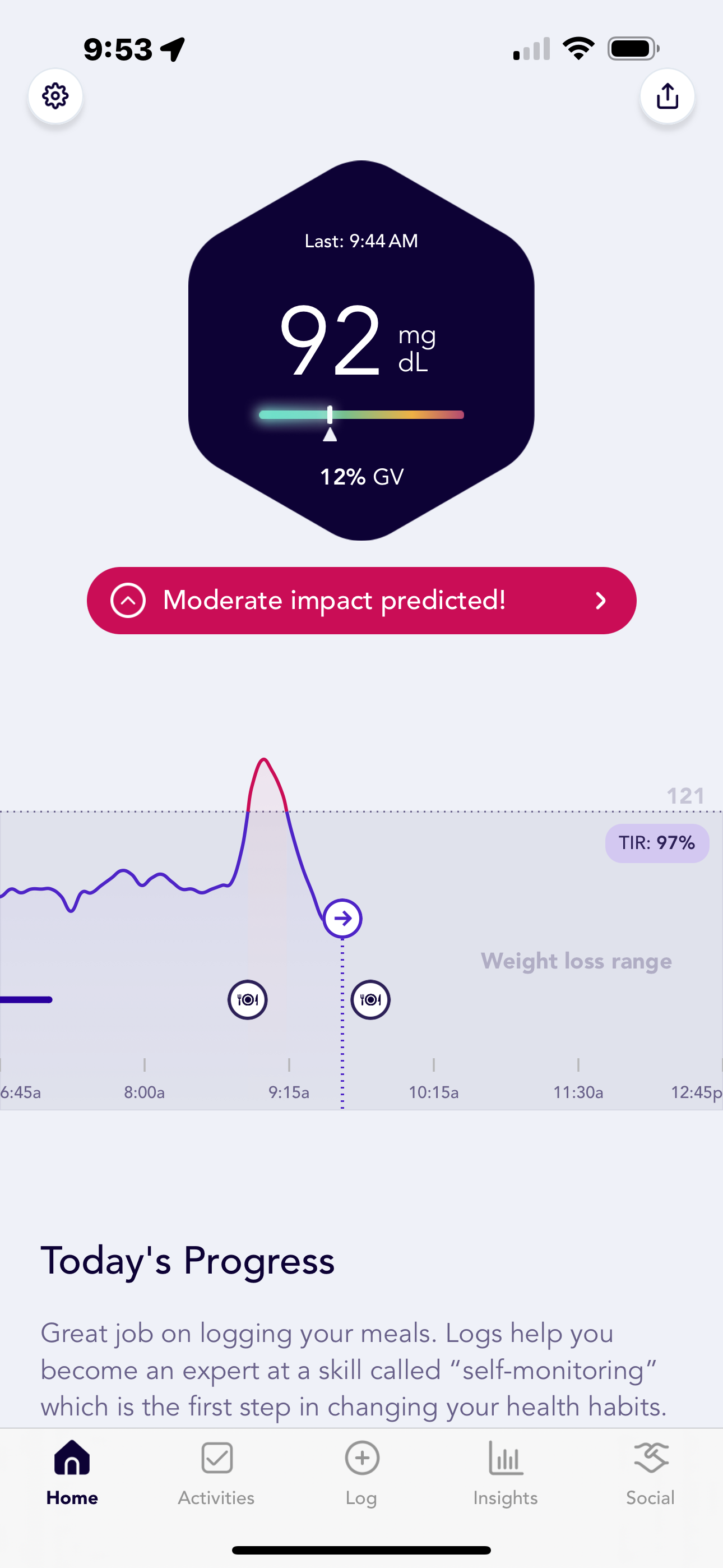
You can go back in time several days to see your CGM measurements. If you log what you eat, Signos will give you a predicted impact. In the screenshot above, you see the predicted impact of a latte and a shortbread cookie to be “moderate.” If you click on the moderate impact, the app will tell you to go for a walk or do plyometrics (e.g. strength training).
Logging activities, food and sleep is accomplished via the logging screen:
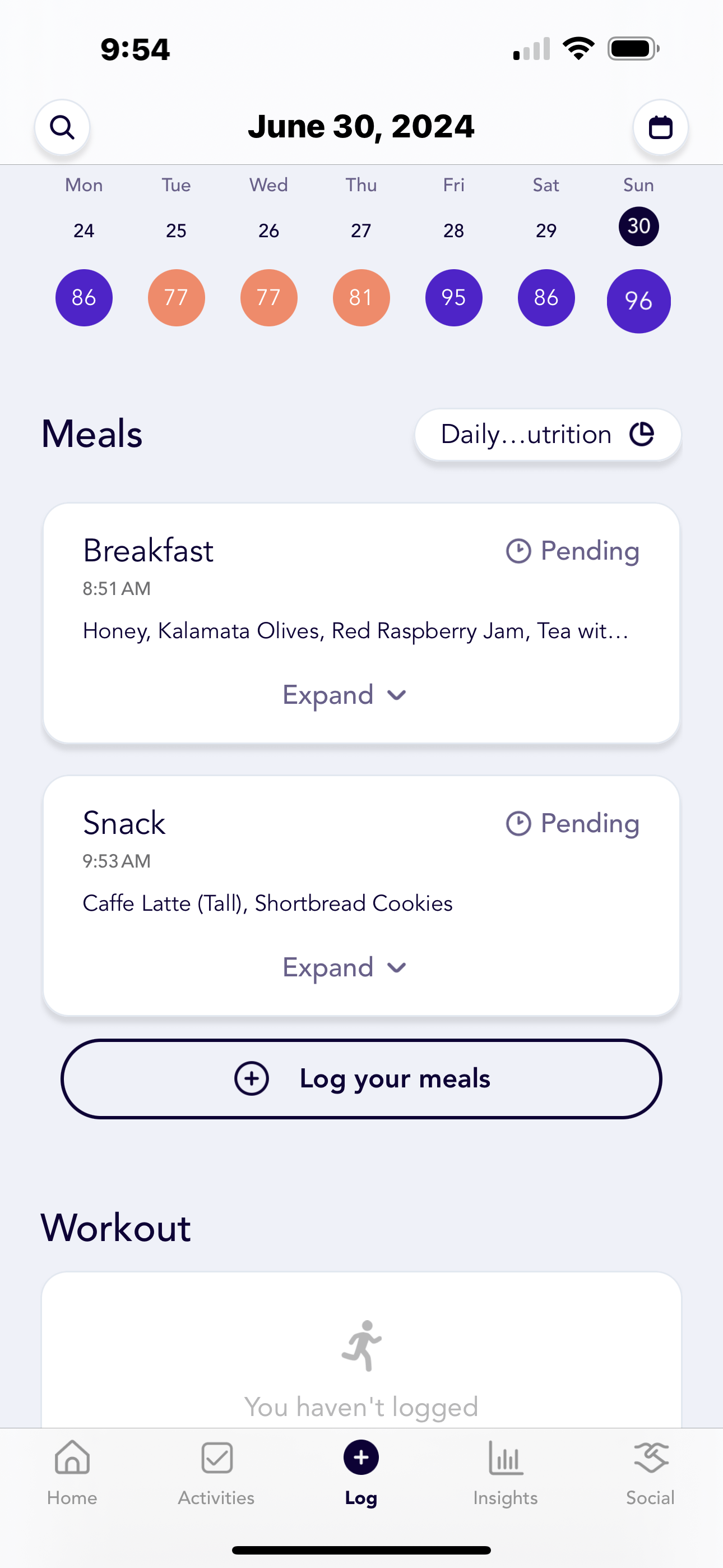
Logging functionality is limited, but at least the food logging database is fairly comprehensive. Being from the Mediterranean, my favorite foods are usually not there but I manage.
The insights screen shows your past week’s data summaries. There is no screen that includes the summaries for the previous day which is an obvious feature that should have been added.
You can see stats such as average glucose, average overnight glucose, time in range and glucose variability.
After using the Signos application for 5 weeks, I am a fan of seeing my CGM measurements, but not a fan of Signos. For the $159 (promo discount) per month subscription, I don’t think the application does enough. If you are considering signing up, wait until August when Dexcom and Abbott CGM monitors will be available over the counter with their own versions of guidance applications.
Here are some of my complaints:
Food logging and selection menu is not very smart. How about auto grouping items that I ate one night into a custom meal for me. Or having a longer list of “recent” items. When I create custom items, there is not a way for me to break the custom item down to see what was in it.
How about suggesting recipes or alterations to the meals I eat if they have an adverse blood sugar impact. For example, I eat a banana. How about telling me proactively that I should consume some protein or fat with that.
I am getting sick and tired of the blood sugar spike alerts. Yes, I get it, my blood sugar is going up, and I need to perform an activity, but proactively tell me how I can avoid it or stop suggesting the same exercise routine over and over again (also see item 2)
After the first week of using the app, the Activities section of the app is useless. No new content, no new proactive suggestions, nothing. Why not suggest new recipes, or something?
Apple Watch app has barely any documentation and is very bare and not useful other than the watch complication to show blood sugar levels. It could at least show some historical data and analysis.
The Insights tab in the application needs to be able to show me just the previous 24 hour results. The content that is buried in the “reports” section needs to be bubbled up.
Signos should connect to Google Health Hub, Garmin, Coros, Oura and Strava directly.
Overall, if you are data driven like I am, the Signos application is not worth the cost. The Dexcom G7 CGM is. When my Signos subscription is over, I may try Levels next.
Hi Brent
I will share my email privately with you.
Thank you for reaching out.
Hey Bora,
Im one of the product managers at Signos, thanks for writing all this out. Im happy you like some elements of the app and am curious about your other feedback.
If you're open to it I'd love to send you some questions via email. My email is brent@signos.com if you want to send me a note or just share your email here and i'll send them over.